Workspace List
The Workspace List shows every workspace in the system.
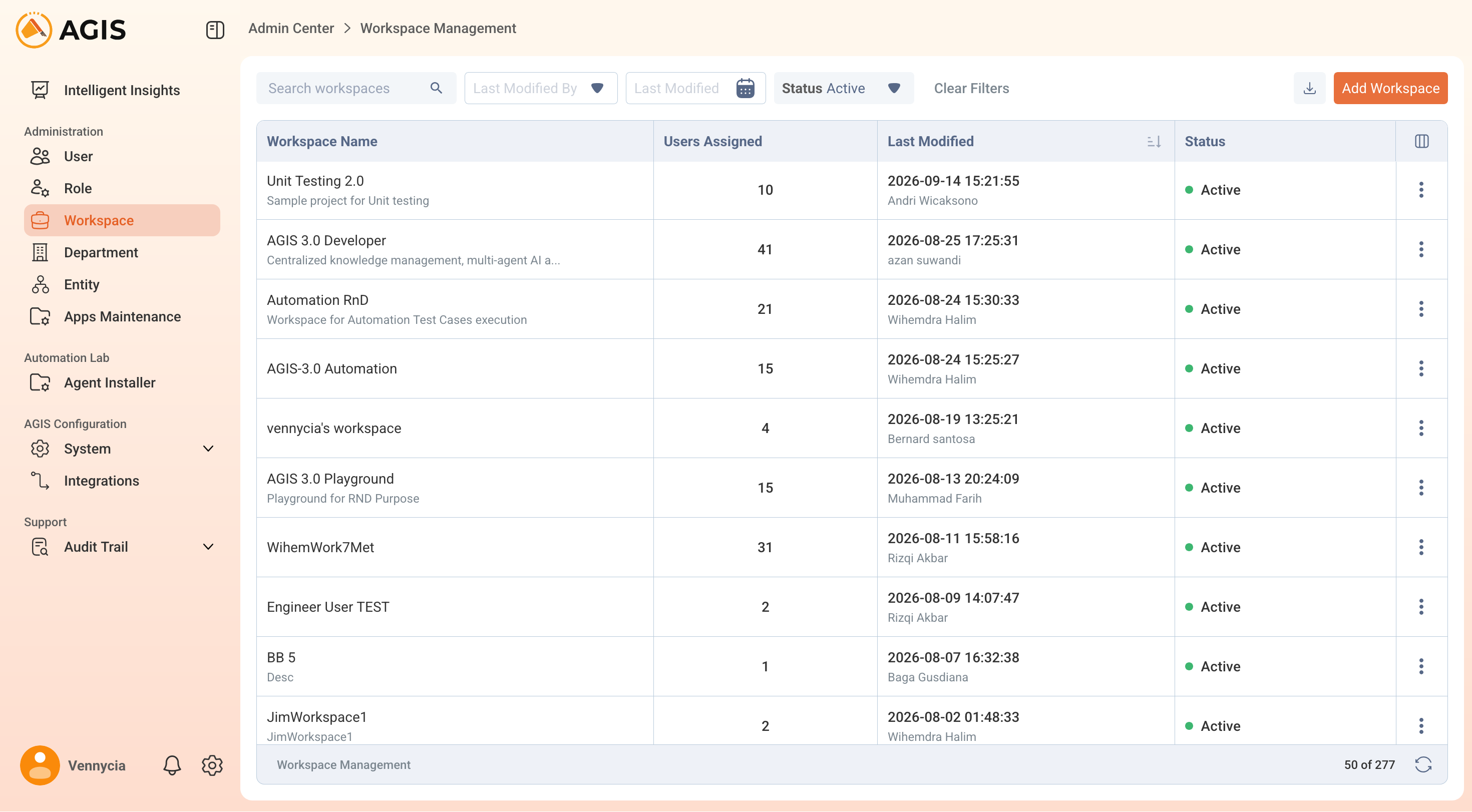
At the top of the page you can:
- Search workspaces — search by workspace name.
- Last Modified By — filter by who last modified the workspace.
- Last Modified — filter by a date/date range.
- Status — filter by status, e.g.
Active. - Clear Filters — reset all applied filters.
- Download (the download icon) — download the current workspace list as a CSV file.
- Add Workspace — open the form to create a new workspace.
The table shows:
| Column | Description |
|---|---|
| Workspace Name | The workspace's name, with its description shown underneath |
| Users Assigned | Number of users currently assigned to the workspace |
| Last Modified | Date/time of the last change, and who made it |
| Status | Active or inactive |
